
So this post contains information about how to edit other posts, so it is meta, and in particular itself, so it is auto.
Ergo this is an auto meta post … mmh
Insert a jump break
First of all, I added a first introduction an then a jump break adding this code<!--more-->
Cool Markdown editor
Everything is possible thanks to Stackedit that is the definitive Markdown editor!Insert a YAML front matter
Add YAML at the beginning of the article, something like this---
title: How to use Markdown to edit Blogger posts
tags:
- Blogger
- Markdown
---
About tags
Insert at least one entry in the tags array. It will be used by Blogspot to label the article. I consider the first entry as a cathegory, choose the right one and be consistent.Add an image
I like to add at least image for every article. There is an add image icon on Stackedit menu bar that let you select images from an url or from Picasa where I have an album containing the images of my blog.Publish on Dropbox
This is not necessary, but I think it is usefull to backup your articles in Markdown format and get them in sync across your computers. By now I’m using Dropbox, also Google Drive is an available choice (didn’t try yet with StackEdit).Publish on Blogger
Go to the top left button menu, in the Publish on… section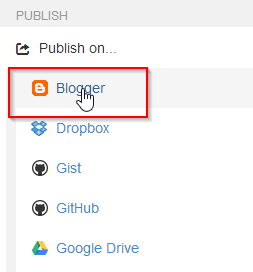
Don’t miss the postId
After publication, the article get assigned a postId that I use to write it in the YAML front matter.This is not supported by StackEdit, but I think it is worth to annotate it, specially if you are using synchronization feature.
You can copy the postId entering the Manage publication menu section, so YAML will looking something like this.
---
title: How to use Markdown to edit Blogger posts
tags:
  - Blogger
  - Markdown
postId: 1766129362942319202
---
Written with StackEdit.

No comments:
Post a Comment